Intelligent bank reconciliation for accounts receivable
Every payment.
The right invoice.
Bank reconciliation software that matches incoming payments to the invoices you issued. Clear matches are confirmed for you; the rest wait in one inbox for a quick decision.
Works with the files and channels you already use
Bank transactions
- EBICS
- SFTP
- camt.053
- MT940
- BAI2
- CSV
- JSON
- REST API
- EBICS
- SFTP
- camt.053
- MT940
- BAI2
- CSV
- JSON
- REST API
Issued invoices
- UBL (EN 16931)
- CII (EN 16931)
- CSV
- JSON
- SFTP
- REST API
- UBL (EN 16931)
- CII (EN 16931)
- CSV
- JSON
- SFTP
- REST API
More than a matching engine.
Invunion works out who paid, which invoice, and how sure it is. Then it keeps your team and your other tools informed.
-
Every match comes with a level
Certain and Strong matches are confirmed for you. Possible ones wait in the Match inbox, with the reason shown.
- Certain Confirmed for you
- Strong Confirmed for you
- Possible You decide
-
Only customer payments are matched
Payroll, tax and loans stay out of matching. Add your own rules for what is in and what is out.
-
Payments as they really arrive
One payment for several invoices, one invoice paid in several payments, credit notes, refunds, and invoices in another currency.
-
A payer score for each customer
A score from 0 to 100 labels each customer Good, Watch or Risky, from how late they pay.
-
The result goes where it is needed
When an invoice is paid, Invunion can tell your team by email, Slack or Microsoft Teams, and your systems through the API or a signed webhook.
What changes for your team
Less line-by-line matching. Every uncertain case still goes to a person.
Matches suggested as soon as a payment lands
New bank lines are compared with your open issued invoices in the background, and the likely invoice is suggested.
Know who has paid, without waiting for month-end
Invoices show as paid, partially paid or overdue as soon as their payment is matched. Cash and collection decisions start from today's numbers.
Complex cases, handled
- One payment · several invoices
- One invoice · several partial payments
- One invoice · several third-party payers
- Invoice in another currency · Incoming payment
Act the moment an invoice is paid
A notification or a signed webhook tells your team and your systems. Licences are activated, access is opened and reminders stop, without anyone checking the bank.
How it works
From bank line to matched invoice in four steps
- 1
Bring in bank transactions and invoices
Invunion needs two things from you: your bank transactions and the invoices you issued.
- Bank transactionsby EBICS, SFTP, the API, or a file (camt.053, MT940, BAI2, CSV, JSON)
- Issued invoicesby SFTP, the API, or a file (UBL or CII EN 16931, CSV, JSON)
- 2
Choose what to reconcile
Decide which bank lines are in scope and which matches are confirmed automatically.
- Exclusion rules keep payroll, tax and loans out
- Identification rules attach each line to the right customer
- You decide if Strong matches are confirmed automatically
- 3
Invunion does the matching
Certain and Strong matches are confirmed for you. Possible matches wait in the Match inbox for a person to decide.
- Certain and Strong matches are confirmed
- Possible matches wait in the Match inbox, with the reason
- Partial payments, grouped payments and credit notes are handled
- Invunion learns each customer's payment habits from your past decisions
- 4
Use the result anywhere
Export it, read it through the API, or receive it as a webhook in your other tools.
- A dashboard of paid, partially paid and overdue invoices
- Notifications by email, Slack or Microsoft Teams
- REST API, signed webhooks and CSV export
Built for the people who chase payments
Finance, tech and revenue teams each lose time on the same question: has this invoice been paid?
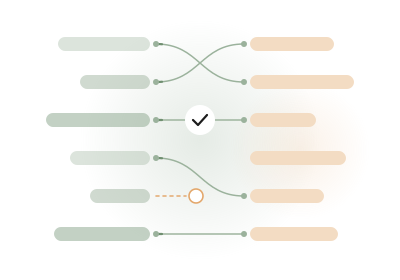
Accountants and finance controllers
Month-end starts with a bank export, an invoice export and a spreadsheet, matched line by line.

CFOs and finance directors
You only know which invoices are really paid after the close, too late for cash decisions.
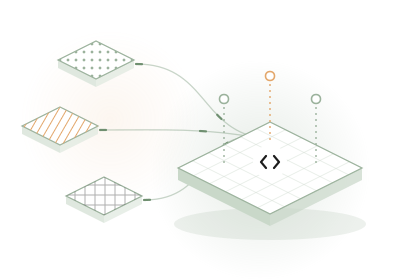
CTOs and developers
Every bank speaks its own format, and finance keeps asking for one more script.
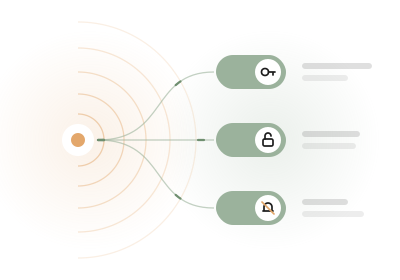
Revenue and customer teams
A customer says they paid, and their license stays locked until someone in finance checks the bank.

Consultants and accounting firms
You match incoming payments for dozens of clients, each with its own bank, formats and habits. This production work takes time and is hard to bill.
Your bank data stays protected
Read-only by design
Invunion only retrieves information: your bank transactions and your invoices. It cannot send or receive money, and it takes no part in how your payments are made.
Encrypted bank details
IBANs and account numbers are stored encrypted, and shown masked in the app, the API and webhooks.
Every reveal is logged
Only admins can show a full account number, and each reveal is written to the audit log.
Locked bank details
Once a payment method is used, its bank details are locked, and every change to payment methods is audited.
From the guides
Plain answers on bank reconciliation, written from how the product actually works.